

Running an online store is exciting. You can showcase products, reach customers beyond your local area, and receive orders while you’re busy doing something else. But once orders start rolling in, the work behind the scenes can become a bit of a juggling act. You need to process orders, maintain product records, check stock, issue invoices, handle returns, track expenses, and understand whether your business is actually making a profit.
If you also operate a physical shop, keeping your online and offline operations organised can become even more demanding. That’s where Shopify POS integration with Sadahisab comes into the picture.
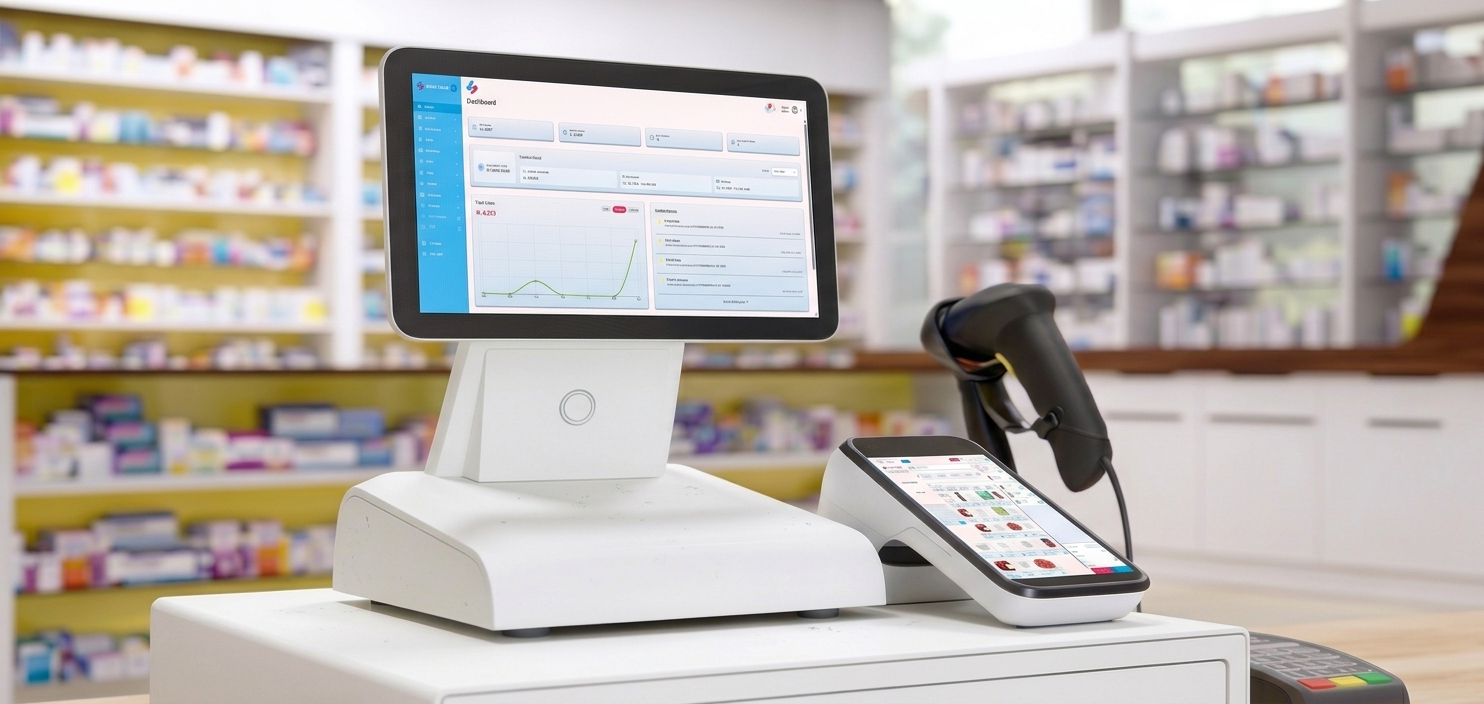
By connecting your Shopify store with Sadahisab POS and ERP software, you can bring important sales and business management activities into a more connected workflow. Instead of treating online orders, product records, inventory, and accounting as completely separate jobs, you can manage these activities through your business software.
With Sadahisab, Shopify store owners can work with incoming customer orders, manage and add products, upload products in bulk, process invoices, monitor sales, manage returns, and review accounting reports, including profit and loss.
The goal is straightforward, spend less time switching between disconnected processes and more time understanding and growing your business. Whether you’re running an online clothing store, electronics shop, cosmetics business, or a retail brand with both online and physical sales, a connected POS and ERP system can help make daily operations easier to manage.
What Is Shopify POS Integration?
Shopify POS integration refers to connecting Shopify’s eCommerce environment with a point-of-sale or business management system so that relevant store information can be exchanged and managed across platforms.
Depending on the integration, this may include:
- Products
- Orders
- Inventory quantities
- Customer details
- Payments
- Other relevant business records
The purpose is to reduce repetitive data entry and help keep business information consistent. Shopify provides APIs and event-driven webhooks that apps can use to work with store data and respond to events such as order creation, product updates, and inventory changes. These tools provide the technical foundation for integrations between Shopify and external business systems.
For a business owner, however, the value of integration isn’t about APIs or technical terminology. It’s about what happens during an ordinary working day. A customer places an order online, your team receives the order information, the invoice is handled in your business software, stock records are updated according to the configured workflow, and sales information becomes available for reporting.
With Sadahisab Shopify integration, the aim is to bring these essential tasks into a connected POS and ERP workflow, so store owners can manage orders, products, inventory, invoices, returns, and accounting more conveniently.

Shopify and Sadahisab: How the Integration Works
Shopify provides the online storefront where customers browse products, add items to their carts, and place orders. Sadahisab provides the business management environment where the store owner can work with product records, process orders, complete invoices, manage stock, and review financial information.
Think of Shopify as the customer-facing shop window and Sadahisab as the operational desk behind it. Both have important jobs, but connecting them helps information move between the customer-facing and business-management sides of the operation.
A typical connected workflow can look like this:
| Step | What Happens |
|---|---|
| 1. Customer places an order | The customer selects products through the online checkout. |
| 2. Order information reaches Sadahisab | The integration transfers relevant order. |
| 3. Invoice is generated in Sadahisab | The owner completes the invoice from software. |
| 4. Stock, sales, returns and accounting are managed | The owner monitors business records and reports. |
The precise behaviour of each step depends on the integration setup, including which information synchronises automatically and which actions require the owner’s confirmation.
Why Shopify Store Owners Need Connected POS and ERP Software
An online store can generate sales without the owner being physically present at the shop. That’s one of the great things about eCommerce.
But every sale still creates work.
Someone needs to make sure the right product is available, the correct invoice is completed, the order is fulfilled, and the transaction is reflected in the business records.
If those responsibilities are spread across different spreadsheets, applications, and manual processes, small mistakes can turn into expensive headaches.
For example:
- A product might appear available online even though it has sold out in the physical shop.
- A return might be recorded in one system but overlooked in another.
- Sales figures may look healthy while the owner struggles to understand the actual profit after costs and expenses.
A connected POS and ERP system helps bring these activities into a more organised structure.
The Challenges of Managing Online and Physical Store Operations Separately
- Imagine you run a clothing business with a Shopify store and a physical outlet.
- You upload a new collection online, sell several items through Shopify, and make additional sales at your shop during the same afternoon.
- If your stock records aren’t connected, your team may need to check multiple places before confirming whether a size or colour is still available.
- The same issue can arise with accounting.
- Your Shopify sales may be recorded in one place, physical shop transactions in another, and expenses in a separate spreadsheet.
- At the end of the month, you have to bring everything together before you can understand the overall performance of the business.
Here are some common operational challenges:
| Business Challenge | What It Can Cause |
|---|---|
| Separate order records | More manual work and slower order handling |
| Disconnected product records | Duplicate entries and inconsistent product details |
| Stock tracked in different places | Overselling or uncertainty about available stock |
| Manual invoice preparation | Repetitive work and greater scope for errors |
| Returns recorded separately | Confusing sales and stock records |
| Accounting spread across tools | Delayed financial reporting and less visibility |
These challenges become more noticeable as order volume increases.
A process that works for ten orders a week may become difficult when you’re handling hundreds. The real benefit of Shopify POS integration is bringing everyday business information into a workflow that is easier to manage, check, and maintain.
How Sadahisab Shopify Integration Simplifies Order Processing
Order management is one of the most important parts of running an eCommerce business. Customers expect their orders to be handled properly, while the store owner needs a clear view of what has been purchased, what needs attention, and what has already been completed.
With Sadahisab Shopify integration, the store owner can manage incoming Shopify orders through the software, helping bring online sales into the same operational environment used for invoices, inventory, and accounting.
Instead of repeatedly copying order details into a separate system, the integration is designed to bring relevant order information into Sadahisab for processing. This gives the owner a central place to review the order, work with the invoice, and manage the next steps.
From Customer Cart to Invoice Completion
Let’s walk through a typical customer journey. A customer visits your Shopify store, selects a product, adds it to their cart, and completes checkout. The order is created in Shopify. Through the configured integration, the order information is transferred to Sadahisab, where the owner can access it and proceed with the invoice.
The invoice is generated in Sadahisab as part of the connected workflow. The store owner can then review the invoice details and complete the required processing steps. This is particularly useful for businesses that want to manage their invoicing and sales records through their POS and ERP software rather than preparing each invoice from scratch.
Here’s how this workflow can help:
- Order visibility: Review Shopify orders in Sadahisab’s order-management workflow.
- Invoice processing: Generate and complete invoices in the software.
- Reduced repetitive entry: Avoid manually recreating order details when those details are transferred through the integration.
- Centralised operations: Manage order processing alongside inventory, sales, and accounting.
- Better record organisation: Keep order and invoice information connected for later review.
For example, if a customer orders two products from your online store, the owner can access the order in Sadahisab, review the products and quantities, and complete the invoice.
The owner can then continue managing the order through the established fulfilment and accounting process. The important point is that an order being received and an invoice being completed are separate operational steps. Sadahisab helps the owner manage the invoice and order workflow, while the exact status changes and automation depend on how the Shopify integration is configured.

Manage Shopify Products and Bulk Product Uploads
Product management is another area where integration can save valuable time. An online store might have dozens of products at launch, but a growing business can quickly build a catalogue containing hundreds or thousands of items, variants, sizes, colours, and other product details.
Managing all those records manually across separate platforms can become tedious. If a product name, price, SKU, or other detail changes, the owner needs a reliable process for keeping the relevant records consistent.
With Sadahisab Shopify integration, store owners can add products through the software and use bulk product addition to manage larger product catalogues more efficiently. This is useful when launching a new collection, expanding into another category, or setting up a large number of products.
Add Products Through Sadahisab
Instead of treating product management as a completely separate task from POS operations, the owner can use Sadahisab as part of the product-management workflow. For example, a cosmetics retailer might introduce a new skincare range containing cleansers, serums, moisturisers, and sunscreens.
The owner can prepare product records in Sadahisab, including the relevant product information, and manage the catalogue through the integration according to its supported synchronisation process. This can make it easier to maintain product information alongside the business’s sales and inventory records.
Bulk Product Addition for Growing Catalogues
Bulk product addition is particularly valuable for businesses with large catalogues. Adding products one at a time can take considerable effort, especially when each item requires multiple details. A bulk workflow can help reduce the repeated work involved in preparing product records. The owner can organise product information in larger batches and manage the catalogue more efficiently.
| Product Management Task | Benefit of Using Sadahisab |
|---|---|
| Add individual products | Manage product records through the software |
| Add products in bulk | Reduce repetitive manual product entry |
| Organise product details | Keep product information structured |
| Manage products alongside sales | Connect catalogue management with daily operations |
| Maintain inventory records | Support stock management using product information |
For a clothing business, this could mean managing a large collection of shirts, trousers, dresses, and size variations. For an electronics retailer, it could mean maintaining product records for accessories, devices, and different models. The exact fields supported for bulk uploads and the direction in which product information synchronises should be confirmed for the particular Sadahisab integration setup.
Keep Inventory and Stock Records Organised
Inventory management is where online and physical retail operations often meet. Every sale affects the quantity of products available, and every purchase or return can change what the business has in stock. When a business operates across multiple sales channels, it needs a dependable way to maintain inventory records.
Without one, the owner may have to check stock manually before confirming an order or updating product availability. Sadahisab’s Shopify integration brings inventory management into the wider sales and order workflow, helping store owners manage product stock alongside their online business operations.
Why Connected Inventory Matters
Consider a retailer selling mobile accessories through Shopify and a physical shop. The business has 20 units of a particular phone case. Several customers place online orders while the physical shop is also making sales. If stock records aren’t maintained properly, the online store might continue accepting orders even when the item is no longer available.
The business then has to contact customers, arrange alternatives, or deal with cancellations. A connected inventory workflow can help reduce this kind of uncertainty by supporting more organized stock records and inventory updates. Shopify’s official developer documentation describes inventory-related webhooks that can notify an app when inventory levels change.
It also explains that integrations should account for the possibility of missed or delayed webhook deliveries and use reconciliation processes where appropriate. This matters because reliable inventory management isn’t simply about displaying a number. It’s about making sure the business has a process for maintaining accurate information.
Inventory Management for Different Retail Businesses
A connected inventory workflow can support different product categories, although the inventory details each business needs will vary.
| Business Type | Inventory Details to Manage |
|---|---|
| Clothing | Sizes, colours, styles, and quantities |
| Cosmetics | Product variants, quantities, and expiry-related records where applicable |
| Electronics | Models, SKUs, serial numbers where supported, and quantities |
| Grocery | Product units, quantities, and expiry-related records where applicable |
| Footwear | Sizes, colours, and product variants |
For a retailer, the practical goal is to make stock information easier to manage, reduce unnecessary manual checks, and improve visibility when processing orders.
Important: Inventory synchronisation depends on the integration’s configuration.
Store owners should confirm whether stock changes are synchronised automatically, which locations are included, and how cancellations, returns, and manual stock adjustments affect quantities.
Simplify Sales, Returns and Refund Management
Making a sale is only one part of retail. Customers may change their minds, order the wrong size, receive a damaged product, or request an exchange. Returns are a normal part of running an online store, but they can complicate sales and inventory records if they aren’t managed properly.
For example, a customer orders a pair of shoes in size 9 from your Shopify store. After receiving the product, they request a return because the size doesn’t fit. Your business needs to record the return, determine whether the item can be resold, and account for any refund or exchange.
If the return is recorded only in the original order platform while your accounting and inventory records remain unchanged, your reports may no longer reflect what actually happened.
Manage Returns Through Your Business Software
With Sadahisab, store owners can manage returns as part of their broader sales and accounting workflow. This helps bring return-related activities closer to the records used to monitor invoices, inventory, and business performance.
Depending on the configured process, the owner can review the original sale, manage the return, and record the relevant financial and stock adjustments. The important thing is to distinguish between different outcomes. A returned product may be suitable for resale, damaged and unsellable, or awaiting inspection. A refund may be full or partial, and an exchange may involve a different product or price.
| Return Scenario | Business Record to Review |
|---|---|
| Full refund | Original sale, refund amount, and financial adjustment |
| Partial refund | Original invoice and refunded amount |
| Product exchange | Original item, replacement item, and any price difference |
| Returned item suitable for resale | Inventory adjustment according to the return process |
| Damaged returned item | Stock status and any applicable loss record |
These distinctions matter because a refund, a physical return, and a restocking action are not necessarily the same event. Shopify’s documentation includes separate webhook events for order updates, returns, and refunds, illustrating why an integration needs to handle these actions as distinct business events.
Keep Sales Reports Meaningful After Returns
Imagine your Shopify store records ₨500,000 in sales during a month. During the same period, customers receive refunds totalling ₨25,000. If you review only the original sales figure, you may overestimate the revenue retained by the business. Your reporting process needs to account for refunds and returns in a way that reflects your accounting policies. Sadahisab helps store owners manage sales and returns alongside their accounting records, supporting a more organised approach to reviewing business performance. The exact report treatment depends on how transactions, refunds, and accounting entries are configured.
Connect Shopify Sales with Complete Accounting
Sales tell you how much business you’re doing. Accounting helps you understand what those sales mean financially. A Shopify store might generate a healthy volume of orders but still struggle with cash flow, expenses, inventory costs, or profitability. Without organised financial records, the owner may know how much customers have purchased but not how much the business has actually earned.
This is why Shopify accounting integration is an important consideration for growing retailers. Sadahisab is designed to bring sales and operational records into a broader POS and ERP environment, helping store owners manage accounting alongside order processing, invoicing, inventory, and returns.
Why Accounting Matters for Shopify Store Owners
Consider a business that sells products online and through a physical shop. It has revenue from both channels, but it also pays for inventory purchases, packaging, shipping, salaries, rent, payment processing, and other operating expenses.
If the owner looks only at gross sales, the business may appear more profitable than it really is. A connected accounting workflow helps organise the financial information required to understand the business beyond its order count.
For example, the owner may need to review:
- Sales revenue from different channels
- Purchase costs and inventory-related expenses
- Customer refunds and returns
- Operating expenses
- Outstanding customer or supplier balances, where managed
- Profit and loss reports
With Sadahisab, these accounting activities can be managed within the software’s wider business-management environment, according to the features and configuration available to the business.
Profit and Loss Reports: Understand the Bigger Picture
A profit and loss report, also called an income statement, helps a business understand its revenue, costs, and expenses over a selected period. For an eCommerce business, this report is especially useful because sales volume alone doesn’t tell the complete story. A store might sell thousands of products but face high costs that reduce its profit.
Let’s use a simple illustrative example:
| Financial Item | Example Amount |
|---|---|
| Sales revenue | ₨800,000 |
| Cost of goods sold | ₨480,000 |
| Gross profit | ₨320,000 |
| Operating expenses | ₨180,000 |
| Illustrative operating profit | ₨140,000 |
Illustrative figures only. This is a simplified example, not a Sadahisab report or a statement of actual customer results. Taxes, refunds, other income, and additional accounting adjustments may affect the final result.
The example shows why tracking revenue and expenses together matters. The store generated ₨800,000 in sales, but the amount remaining after the illustrated costs and expenses is considerably lower.
Sadahisab’s accounting capabilities, including profit and loss reporting, can help store owners review financial performance using their recorded business transactions. Accurate reporting depends on complete and correctly classified financial records.
Bring Sales and Financial Records into One Workflow
When Shopify orders are connected with Sadahisab, the owner can manage the invoicing and sales workflow alongside the software’s accounting features. This creates an opportunity to reduce the gap between daily sales activity and financial review. Rather than treating online sales as isolated order records, the business can incorporate them into its broader financial management process.
For example, after processing Shopify orders, the owner can review sales records, account for relevant returns, manage expenses, and examine profit and loss information for the chosen reporting period.
The result is a more connected view of business operations, helping the owner ask better questions:
- Which products are generating the most sales?
- How much revenue is being returned or refunded?
- Are operating expenses increasing?
- How much profit remains after the relevant costs?
- Which parts of the business need closer attention?
A connected accounting system doesn’t automatically make every business decision for you. It provides organised information so you can make those decisions with a clearer understanding of the numbers.
Shopify POS Integration Features Compared
Shopify and Sadahisab serve complementary purposes. Shopify supports the online shopping experience, while Sadahisab brings POS, ERP, invoicing, inventory, and accounting workflows into the business-management environment.
The following table summarises how these roles fit together:
| Business Activity | Shopify Store | Sadahisab Integration Workflow |
|---|---|---|
| Online product browsing | Customer-facing storefront | Supports the connected product-management process |
| Customer checkout | Customer places an online order | Relevant order information can flow into Sadahisab |
| Order processing | Online order record | Owner manages order processing through the software |
| Invoice handling | Order and checkout records | Invoice generation and completion in Sadahisab |
| Product management | Online product catalogue | Add and manage products through Sadahisab |
| Bulk product addition | Product catalogue management | Bulk product addition through Sadahisab |
| Inventory | Online inventory information | Manage stock through the configured integration workflow |
| Returns | Online return and refund processes | Manage returns alongside sales and accounting records |
| Financial reporting | Sales and transaction information | Review accounting and profit and loss reports |
The table describes the intended division of responsibilities, not a guarantee that every field or action synchronises automatically.
Confirm the precise integration behaviour, permissions, and supported features for your Sadahisab setup.
Why This Matters for Growing Businesses
A business can start with a relatively small online catalogue and gradually expand into multiple product categories, sales channels, and locations. As the business grows, the number of records it needs to maintain grows too. A connected POS and ERP workflow helps create a more consistent way to manage those records.
It can also make it easier for the owner and team to follow established procedures for processing orders, completing invoices, managing stock, and recording returns. The objective isn’t to remove every business task. It’s to reduce unnecessary repetition and make the essential work easier to organise.
How to Get Started with Sadahisab Shopify Integration
Connecting an online store with business-management software requires more than simply linking two accounts. The integration needs to be configured so that product records, orders, inventory, and financial workflows behave as expected.
If you’re considering Shopify integration with Sadahisab, it’s helpful to begin by understanding how your business currently operates and which tasks you want to manage through the connected system.

Step 1: Review Your Shopify Store
Identify your product catalogue, variants, current order workflow, inventory locations, and the information your team needs to process each sale.

Step 2: Organise Your Product Records
Prepare product names, SKUs, prices, variants, and other required details.
If you have a large catalogue, plan how to use bulk product addition.

Step 3: Configure the Integration
Connect the Shopify store with Sadahisab using the supported setup process.
Confirm which data is transferred and which actions require manual confirmation.

Step 4: Test the Order-to-Invoice Workflow
Use a test order to check how the order reaches Sadahisab, how the invoice is generated, and how the owner completes the required processing steps.

Step 5: Verify Inventory, Returns, and Accounting
Test stock changes, cancellations, refunds, and return scenarios.
Review the resulting records and reports before relying on the workflow for daily operations.

What Should You Confirm Before Going Live?
Before processing real customer orders through the integration, make sure your team understands how the systems handle important events.
For example:
- If a customer cancels an order, does the cancellation appear in Sadahisab?
- If an item is returned, how is the stock quantity adjusted?
- If the owner edits a product, which system is treated as the source of truth?
- Which data synchronises automatically?
- Which actions require manual confirmation?
These questions aren’t just technical details. They directly affect customer service, stock accuracy, and financial reporting.
Shopify’s developer documentation explains that webhook-based integrations need to account for duplicate deliveries, event ordering, and possible missed notifications.
This is why testing and reconciliation are important parts of a dependable integration workflow.
For the Sadahisab setup, confirm the supported behaviour with the integration team, especially if you manage multiple locations, a large catalogue, or a high volume of daily orders.
Who Can Benefit from Shopify and Sadahisab Integration?
Shopify and Sadahisab integration can be useful for businesses that want to manage their online orders alongside their wider retail and accounting operations. The value will depend on the size of the business, the complexity of its product catalogue, and whether it also operates physical stores. Here are some examples of businesses that may benefit from a connected workflow.
Clothing and Fashion Stores
Manage product catalogues with sizes, colours, and variants. Process Shopify orders, maintain stock records, and review sales and returns through the connected workflow. Clothing businesses can use integrated product and inventory management to keep track of different products and variations while managing sales from a central system. You can also learn more about our POS software for clothing stores and its features for clothing retailers.

Beauty Saloons and Cosmetics Businesses
Organize skincare and beauty product records, add new products in bulk, process online orders, and manage sales and accounting information. Salons and beauty businesses can also benefit from organised sales, customer and business management. If your business operates a salon, explore our POS software for salons to see how Sadahisab can support salon operations.

Electronics and Accessories Retailers
Manage a growing catalogue of devices and accessories, process online orders, and maintain organized product and inventory records. For electronics businesses, keeping product records, inventory and sales organised is particularly important. Our POS software for electronics shops provides a dedicated solution for managing electronics retail operations.

Homeware and Lifestyle Stores
Manage product records, online orders, invoice processing, returns, and financial reporting as the business expands.

Growing eCommerce Businesses
Bring online order management, bulk product additions, inventory workflows, and accounting activities into a more organized business system. For retailers, Sadahisab can help manage products, stock levels, sales and customer transactions alongside online orders. Businesses looking for a dedicated solution can explore our POS software for wholesale business to learn more about managing retail operations.

Businesses with Both Online and Physical Stores
For retailers that sell through Shopify and a physical shop, connected operations can be particularly relevant.The owner needs to understand sales across channels, maintain stock records, and manage returns without losing track of the overall business picture.
Sadahisab’s wider POS and ERP capabilities provide a business-management environment for handling sales, inventory, invoicing, and accounting. Shopify integration can help bring the online sales workflow into that environment, subject to the supported configuration.
For businesses in Pakistan, the broader Sadahisab platform also offers tax-integration services relevant to local retail operations. Store owners who need FBR, PRA, or SRB-related services should confirm the applicable requirements and integration scope for their business.
If your business also needs FBR compliance, you can combine Shopify order management with Sadahisab’s FBR-integrated POS workflow. Learn more in our complete guide to FBR POS Integration in Pakistan.
Conclusion
Running a Shopify store involves much more than receiving online orders. Product management, invoice processing, inventory, returns, and accounting all play a part in keeping the business organised as it grows. Sadahisab Shopify integration is designed to bring these activities into a connected POS and ERP workflow. Store owners can manage products through Sadahisab, add products in bulk, receive and process Shopify order information, generate and complete invoices, manage inventory and returns, and review sales and accounting reports, including profit and loss.
The practical value is having a more organised way to handle the work behind every online sale. Rather than treating orders, stock, invoices, and financial records as unrelated tasks, businesses can manage them through a connected operational process. If you’re planning to connect your Shopify store with Sadahisab, start by reviewing your current order and inventory workflows. Then confirm how the integration handles invoices, product updates, returns, and accounting records. A well-tested setup can help your team manage day-to-day operations with greater clarity as your business expands.
Ready to connect your Shopify store with Sadahisab? Visit Sadahisab to learn more about its POS and ERP software and discuss the integration requirements for your business.